Twenty years ago every estimator in the country had a scale ruler in their desk drawer. Paper drawings came in rolls. You unrolled them on a drafting table, set your scale, and started measuring with a wheel or a ruler. The math happened on a calculator or in your head. The quantities went into a ledger or an early spreadsheet. It was slow, it was accurate if you were careful, and it was the only way to do it.
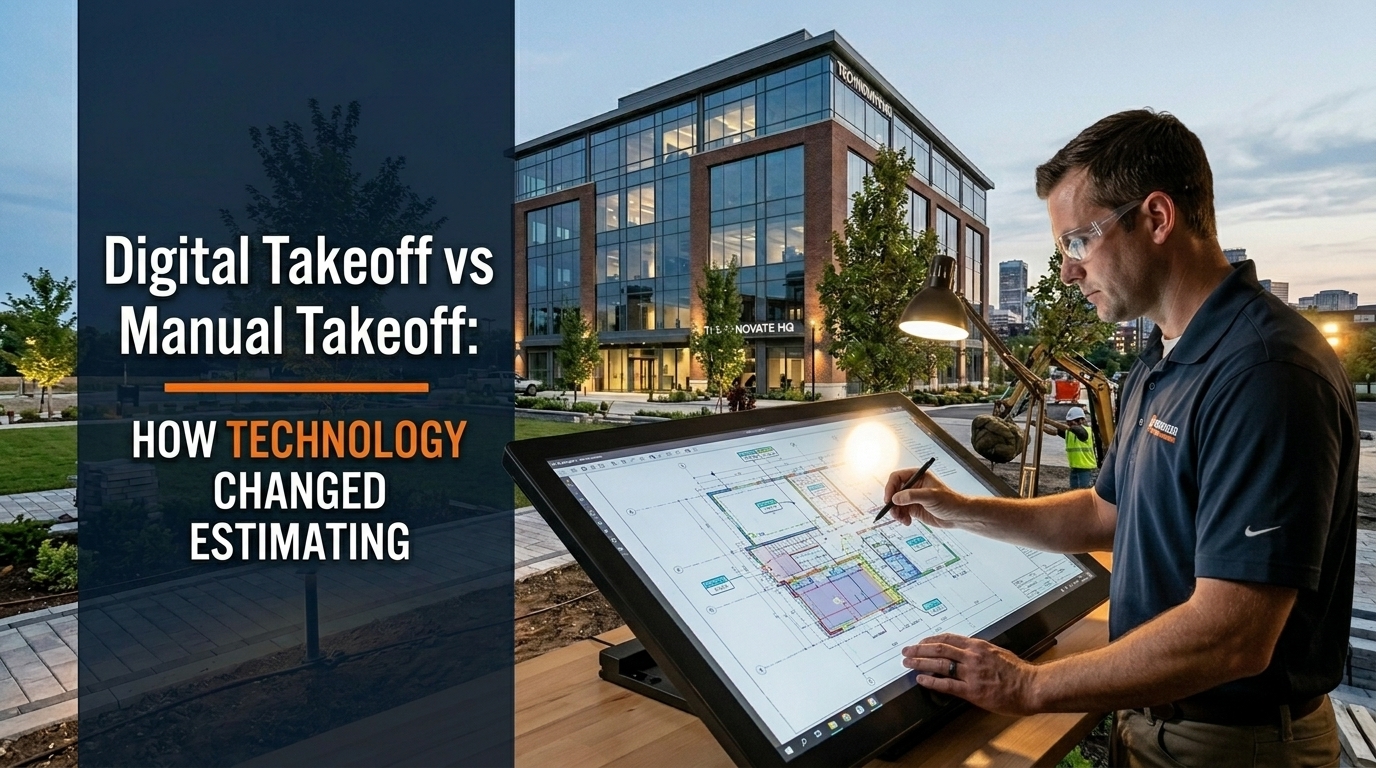
Today that process is almost entirely optional. Digital takeoff software lets an estimator set a scale on a PDF, click a start point, trace a polygon, and get the area in square feet instantly. The same drawing can be measured simultaneously by three estimators in three different states. Changes to one section do not require remeasuring the entire sheet.
The shift changed everything about how construction estimates get built the speed, the team structure, the accuracy floor, and who can do the work. This guide covers what actually changed, where each method still has legitimate use, and what the technology means for contractors who are still deciding whether to invest in digital tools.
What Manual Takeoff Actually Involves
Manual takeoff is measurement from printed drawings using physical tools. The estimator works with a scale ruler to confirm the drawing scale, a rotary wheel or rolling scale to measure linear distances, and either a planimeter or a grid overlay to measure areas. Quantities go into a worksheet by hand or are typed into a spreadsheet as the measurement progresses.
The process is not primitive. An experienced estimator with a scale ruler and a sharp pencil can produce accurate quantities on a clean set of drawings in a reasonable amount of time. The takeoff accuracy depends almost entirely on the estimator reading the drawing correctly and measuring carefully, not on the tool. A scale ruler in the hands of someone who understands the drawings produces better output than digital software operated by someone who does not understand what they are measuring.
Where manual takeoff breaks down is on volume and speed. A project with 40 drawing sheets, multiple building levels, and dozens of scope items takes days of physical measurement. If the drawings are revised mid-bid, portions of the work must be remeasured from scratch. If the estimator makes a scaling error early in the takeoff, every measurement taken at that scale is wrong, and catching the error requires going back through all of them.
Manual takeoff also creates a paper or spreadsheet record that is difficult to audit. If the quantities are questioned, retracing the measurement path through a manual takeoff takes as long as the original measurement. There is no visual record showing exactly what was counted and what was not.
What Digital Takeoff Actually Involves
Digital takeoff starts with importing a PDF, DWG, or Revit file into the takeoff software. The estimator sets the scale by clicking two points on a known dimension on the drawing and entering the known distance. After that, the software converts every measurement on that sheet to real-world dimensions automatically.
For linear measurements, the estimator clicks along the path being measured. The software calculates the total length in real time. For area measurements, the estimator traces the perimeter of the area and the software calculates the enclosed area. For count items, the estimator clicks each occurrence and the software increments the count automatically.
Every measurement creates a visual overlay on the drawing a colored line, polygon, or dot that shows exactly what was measured and where. When the estimate is complete, the drawing looks like a marked-up redline set with every counted item highlighted in a different color by trade. This visual record makes the takeoff fully auditable and allows the estimator or reviewer to spot missed areas at a glance.
Revisions are faster in digital takeoff than in any manual method. When a drawing sheet is revised, the estimator imports the new sheet, compares it visually to the previous version using overlay tools in Bluebeam or similar software, identifies the changed areas, and remeasures only those areas. The rest of the takeoff from the previous sheet carries forward.
Side by Side Comparison
| Factor | Manual Takeoff | Digital Takeoff |
|---|---|---|
| Setup time | Print drawings, organize sheets | Import PDF or DWG, set scale |
| Measurement speed | 1x baseline | 3 to 5 times faster |
| Area measurement | Planimeter or grid overlay | Click and trace polygon |
| Count items | Tally marks on paper | Click each item, auto count |
| Drawing revision | Remeasure affected areas manually | Overlay and remeasure only changed areas |
| Audit trail | Written notes only | Visual overlay on drawing |
| Collaboration | One person per drawing set | Multiple estimators, same drawing |
| Error catching | Manual review of numbers | Visual check of colored overlays |
| Remote work | Requires physical drawings | Works from anywhere with internet |
| Learning curve | Immediate if you know construction | Software learning required |
| Software cost | None | $1,500 to $3,500 per year |
| Accuracy ceiling | High with careful work | High with proper scale setting |
The Tools That Changed the Market
Three software platforms dominate professional digital takeoff in US construction today.
PlanSwift
PlanSwift is one of the most widely adopted takeoff platforms among commercial estimators. It imports PDF and DWG files, supports multiple measurement types including linear, area, count, and volume, and connects directly to estimating software for quantity transfer. The interface is straightforward enough that estimators coming from manual takeoff can become productive within a few days.
PlanSwift runs on Windows and does not have a cloud version, which means it works on a local machine with local file storage. For firms that prefer not to put their drawing files in the cloud, this is an advantage. For firms that want remote access or multi-user collaboration on the same drawing, it is a limitation.
Bluebeam Revu
Bluebeam Revu started as a PDF markup tool and evolved into one of the most powerful platforms in construction document management and digital takeoff. Bluebeam Studio allows multiple users to access and mark up the same drawing set simultaneously, which makes it a natural choice for firms where multiple estimators work on different trades of the same project.
The measurement tools in Bluebeam are precise and customizable. The visual output is clean. The ability to set measurement scales, apply calibration, and build custom toolsets makes it adaptable to any trade's specific takeoff needs.
Our electrical estimating guide and plumbing estimating guide both rely on the same fundamental measurement approach that Bluebeam makes significantly faster than manual methods.
STACK
STACK is a cloud-native takeoff and estimating platform that runs entirely in a web browser with no desktop installation required. It is particularly popular with residential contractors and specialty trades because the workflow is intuitive and the cloud storage means drawings are accessible from any device.
STACK includes both takeoff and estimating functionality in the same platform, which reduces the number of software tools a contractor needs to manage. The trade-off is that it has less flexibility for complex commercial takeoff work compared to PlanSwift or Bluebeam.
Trimble Estimation and Specialized Platforms
Trimble Estimation, formerly WinEst, is widely used in large commercial construction for quantity takeoff integrated directly with cost databases and project management systems. Specialty trades have their own purpose-built tools: HeavyBid for civil and heavy construction, Accubid for electrical, and FastDUCT for HVAC sheet metal.
Where Manual Takeoff Still Makes Sense
Digital takeoff has not made manual measurement obsolete in every situation. Several conditions favor the traditional approach.
Small, simple projects with two or three drawing sheets do not justify the time to import files, set scales, and navigate software when a scale ruler and five minutes of work produces the same answer. A residential driveway takeoff or a single-room renovation does not need digital tools.
Preliminary budgeting from schematic drawings sometimes works faster by hand when the drawings are conceptual and the goal is a rough order of magnitude rather than a precise quantity. Clicking through imprecise sketches in takeoff software takes longer than estimating by eye with a scale rule on a printed copy.
Field verification of as-built conditions still requires physical measurement. Digital takeoff works from drawings. When you need to measure what was actually built versus what was drawn, you need a tape measure.
The Accuracy Question: Which Method Is More Accurate?
Both methods can be accurate. Both can be wrong. The variable in each case is not the tool it is the estimator using it.
Manual takeoff accuracy depends on correct scale identification, careful measurement, and systematic coverage of the drawing set. The most common errors in manual takeoff are scale errors using the wrong scale on a sheet that has multiple scales and coverage errors missing sections of a large drawing set because there is no visual record of what has been measured.
Digital takeoff accuracy depends on correct scale calibration one incorrect calibration point produces wrong measurements for every subsequent measurement on that sheet and on systematic visual coverage using the overlay markup to confirm all areas are captured. The most common errors in digital takeoff are calibration errors on rescaled or incorrectly printed PDFs and missed count items when the estimator does not zoom in sufficiently to see small symbols.
Digital takeoff has a lower accuracy floor than manual. A manual takeoff error can compound silently across an entire drawing. A digital takeoff error is usually visible in the overlay either an area is colored indicating it was measured, or it is not colored indicating it was skipped.
The Learning Curve for Contractors Moving to Digital
Most estimators who move from manual to digital takeoff describe a two to four week adjustment period before they reach their previous productivity. The first week is learning the software interface. The second week is developing a systematic workflow for a specific trade's takeoff sequence. By week three, most estimators are faster than they were manually and by week four they would not go back.
The investment in the software is $1,500 to $3,500 per year depending on the platform. The productivity gain once the learning curve is complete typically returns that investment within the first month of use on commercial projects. The time saved on a single large commercial takeoff pays for a year of software subscription.
The bigger investment is the mental model shift. Manual takeoff is sequential you move through the drawing from one area to the next in order. Digital takeoff encourages working by measurement type across the entire drawing set all linear first, then all areas, then all counts. Estimators who try to replicate their manual sequence in digital tools do not get the full benefit. The tools work best when the workflow is reorganized around what the software does efficiently.
How The Virtual Estimation Uses Digital Takeoff
The Virtual Estimation uses digital takeoff for every project we estimate. Our estimators work in PlanSwift and Bluebeam Revu with RSMeans regional pricing integration, which means quantities flow directly from the takeoff into the pricing database without manual re-entry.
Every takeoff we deliver includes marked-up PDF drawings showing exactly what was measured, color-coded by trade and material type. When you receive an estimate from us, you can open the drawing set and verify any measurement visually without having to recreate the takeoff from scratch.
This approach benefits contractors who need to review their estimate before submitting a bid, respond to scope questions from the GC, or adjust quantities for alternates and value engineering. The visual record makes the estimate a tool you can work with, not just a number at the bottom of a spreadsheet.
Our earthwork estimating guide, concrete flatwork guide, and sitework estimating guide all cover the types of measurements that digital takeoff handles particularly well large areas, complex polygons, and count-intensive scopes where visual verification matters most.
For contractors who want fast, accurate takeoffs without investing in software or the learning curve that comes with it, contact The Virtual Estimation at info@thevirtualestimation.com or visit our construction estimating services page to get a free quote within one hour.
What BIM and Model-Based Estimating Adds to the Picture
Beyond 2D PDF takeoff, a growing segment of commercial construction now delivers project documentation in Revit or other BIM formats. Model-based quantity extraction bypasses the takeoff process entirely for certain scope items the model already knows how many cubic yards of concrete are in the foundation, how many linear feet of wall stud framing exist in the building, and how many square feet of roofing cover the structure.
The reality of model-based estimating in 2026 is that the BIM model is rarely complete enough to rely on for bid-level quantities without verification. Models contain design-intent information, not construction-level detail. Reinforcing steel, waste factors, forming systems, and accessories do not appear in most architectural BIM models. The estimator still needs to understand what the model contains and what must be measured separately.
BIM takeoff is a supplement to skilled digital estimating, not a replacement for it. The estimator who understands what the model can and cannot tell them produces better results than one who trusts the model blindly or ignores it entirely.
Frequently Asked Questions
Is digital takeoff more accurate than manual takeoff?
Neither method is inherently more accurate than the other. Both depend on the estimator's understanding of the drawings and the scope. Digital takeoff has better error detection through visual overlays and is faster on large drawing sets. Manual takeoff requires no software investment and works immediately for small, simple projects.
How long does it take to learn PlanSwift or Bluebeam for takeoff?
Most estimators reach basic productivity within one week and match or exceed their manual takeoff speed within two to four weeks. Advanced features take longer to master but are not required for standard commercial takeoff work. The fastest way to learn is to work through one complete real project in the software rather than working through training exercises.
What drawing format works best for digital takeoff?
PDF exported from AutoCAD at the correct print scale is the most universally compatible format. DWG files work in platforms that support CAD import. Revit files require a compatible platform or must be exported to DWG or PDF for use in standard takeoff tools. The PDF must be set to the correct scale and must not be a scanned image, which loses the precision of the original CAD drawing.
Does digital takeoff work on hand-drawn or sketched plans?
Yes, but with reduced accuracy. Hand-drawn plans can be scanned to PDF and imported into takeoff software. The scale must be calibrated using a known dimension on the sketch. Accuracy depends on the consistency of the original drawing. For budget estimates from hand sketches, digital takeoff adds little advantage over a careful manual scale measurement.
Should small contractors invest in takeoff software?
The answer depends on bid volume and project size. A contractor bidding two or three small residential projects per month does not need dedicated takeoff software. A contractor bidding eight or more commercial projects per month will recover the software cost quickly in time savings. Most platforms offer free trials, which allows a contractor to test the workflow on real projects before committing to a subscription.